
We’ve all been there. You’re scrolling through your feed, see a hilarious meme or an awesome product recommendation on someone’s Instagram Story, and your thumb instinctively moves to take a screenshot. But right before you snap it, a wave of panic hits you: does instagram notify when you screenshot a story?
It’s a totally fair question. Because Stories are temporary and disappear after 24 hours, it feels like they should have Snapchat-style privacy rules. If you’re managing social media for a business, you might even be creeping on a competitor’s profile to see how they keep their audience engaged, making you extra paranoid about getting caught.
The short answer? Don’t stress. But the full picture gets a bit messy depending on whether you’re looking at standard feed posts, Reels, or your Direct Messages (DMs).
Let’s break down exactly how the app handles your screenshots this year, so you can browse with total confidence.
The Truth About Instagram Story Screenshot Notifications
Let’s clear the air on this once and for all: does instagram notify when you screenshot an Instagram Story?
Nope. You are completely in the clear.
Instagram actually did a little experiment back in 2018 where they tested out a feature that put a tiny starburst icon next to your name in the viewer list if you snapped a screen capture. The internet collectively freaked out, engagement dropped, and Instagram quickly rolled it back.
We are happy to report that the app still keeps things totally quiet on this front. Whether you are checking out a regular story, a Highlight, or a story from a creator’s “Close Friends” list, you can take a screenshot without a single soul knowing.
That said, there is one small catch to keep in mind. If you screenshot a friend’s story and then forward that specific screenshot to someone else via a Direct Message (DM), the person who posted the story won’t get a notification that you took a screenshot, but the app sometimes shows a little “forwarded” indicator in the DM thread itself.
Keeping an eye on what other brands are doing in their Stories is actually a great way to figure out the Instagram Engagement Rate: 5 Smart Ways to Grow in 2026, so feel free to save those design ideas and content formats for inspiration!
Simple Ways to Protect Your Own Content Privacy
If you are on the flip side of this and worry about random people saving your daily updates, you have a couple of really easy ways to lock things down:
- Go Private: If you switch your account from public to private, only the people you manually approve as followers can see your content. This stops total strangers or nosy competitors from lifting your images.
- Lean on “Close Friends”: If you want to keep your main profile public to grow your brand but have specific personal updates, exclusive deals, or behind-the-scenes moments you only want a tight circle to see, use the Close Friends list. Only the people you hand-select will see these Stories, and everyone else won’t even know they missed a thing.
Screenshotting Feed Posts, Reels, and DMs: What’s Safe?
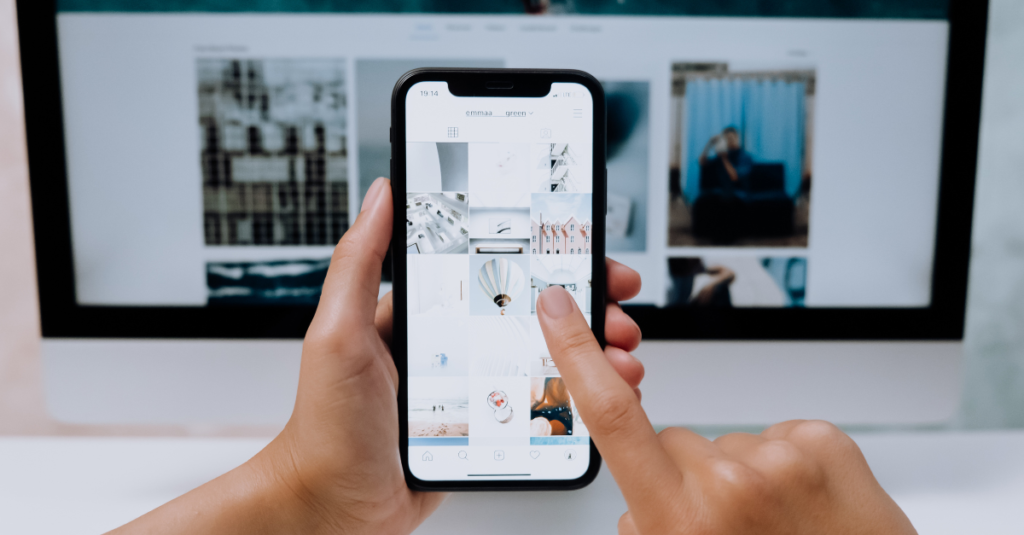
When you move past Stories and look at the rest of the app, the rules shift a little. If you are doing market research, looking at competitors, or just saving cool visual ideas for your own business, you’ve probably wondered: does instagram notify when you screenshot a permanent post or a quick video?
Good news for the scrollers and researchers out there—you can screenshot any main feed post, carousel, or video completely anonymously. The creator will never get a notification that you grabbed an image of their hard work.
Regular Posts and Reels: The Smart Alternative to Screenshots
While you can technically snap away on feed posts, it isn’t always the best way to organize your ideas, especially if you’re trying to figure out if TikTok vs. Instagram Reels in 2026: Where is the Best ROI for Local Businesses? Gathering too many screenshots just clutters your phone’s camera roll.
Instead, try using Instagram’s built-in bookmark feature. Just tap the little bookmark ribbon icon directly under any post or Reel. You can even sort these saved posts into custom collections (like “Competitor Inspo” or “Content Ideas”) so you can reference them easily whenever you want without taking up phone storage.
Inside the DMs: Where Things Get Tricky
Direct Messages are the only area where the app actually protects disappearing content. If you’re keeping a record of client conversations or saving feedback, you need to understand how the rules change depending on the type of message:
- Regular Text DMs: You are completely safe here. You can screenshot a normal, ongoing text conversation inside your inbox, and the other person won’t see a thing.
- Disappearing Media and Vanish Mode: This is the big exception. If someone uses the in-app camera to send you a “View Once” or disappearing photo/video, or if you are chatting inside “Vanish Mode” (where messages vanish the second you close the screen), Instagram will immediately drop a text notification right into the chat window saying you took a screenshot.
A Quick Reality Check: Even though Instagram tries to protect private, vanishing messages with these alerts, it isn’t completely airtight. Someone can easily use a second phone or camera to snap a physical picture of their screen without triggering the app’s detection tools at all. Keep this in mind before sending anything highly sensitive!
Behind the Scenes: Does Instagram Track Your Screenshots?
Even if the app doesn’t send a notification to your friends or competitors, you might still wonder: does instagram notify when you screenshot things internally to its own system?
While Instagram keeps your screenshot habits a secret from other users, it absolutely pays attention to them behind the scenes. Every time you snap a screen capture, the platform registers that action as a massive “interest signal.” To the app’s algorithm, taking a screenshot means you didn’t just like a piece of content—you wanted to save it forever.
If you find yourself constantly screenshotting a specific creator’s aesthetics, local business promos, or industry tips, expect your Explore page and main feed to start flooding with very similar content.
Understanding these subtle platform behaviors is a huge part of building a solid online presence. If you’re a business owner trying to master your social strategy, understanding user behavior is just the first step. You also need a solid plan to turn those views into actual paying clients, which is exactly what we break down in From Likes to Sales: The Social Media Funnel Every Small Business Needs.
Tips for Browsing Safely and Keeping Your Camera Roll Clean
If you still want to be completely cautious when you browse—especially if you’re trying to save ideas without triggering any disappearing message alerts—here are two practical approaches:
- The Airplane Mode Trick (Use with Caution): If someone sends you a disappearing photo in a DM and you absolutely must save it, turn on Airplane Mode before you tap to open the message. Take your screenshot, completely force-close the Instagram app, and only then turn your data/Wi-Fi back on. This occasionally stops the app from sending out the notification, but keep in mind that Instagram constantly updates its code to block this trick, so it is never 100% foolproof.
- Ditch Screenshots for Bookmarks: For standard feed posts and Reels, just stick to the bookmark button. It keeps your personal phone storage clean, keeps you perfectly organized, and gives the algorithm the exact same positive signal to keep serving you great inspiration.
The Bottom Line
To sum it all up: does instagram notify when you screenshot? Only when it comes to disappearing photos or videos sent directly inside your DMs. For absolutely everything else—including regular feed posts, Stories, Highlights, Reels, and standard chat threads—you are completely free to snap screen captures without anyone ever finding out.
Just keep in mind that while other users stay in the dark, the app itself uses those screenshots to figure out what you love, tailoring your feed and Explore page accordingly.
If you are a business owner or a content creator using these screenshots to gather competitive research and save timeless strategy ideas, you are already on the right track. Building a library of inspiration is essential for creating high-performing, lasting content. For a complete breakdown on how to map out content that performs well for months or even years down the line, check out Your Ultimate Guide to Evergreen Content.
Of course, keeping up with the platform algorithms, creating content, and tracking your strategy takes a lot of time and effort. If you’re thinking about handing these tasks off to a professional team this year so you can focus on running your business, make sure to read The 2026 Social Media Management Pricing Guide: What Should Small Businesses Pay? to figure out a budget that works perfectly for you.
Happy scrolling!